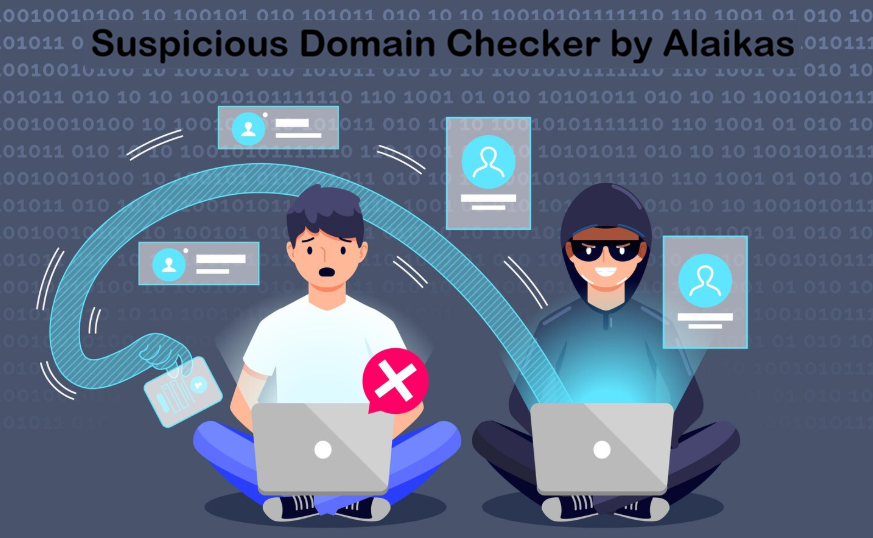
Suspicious Domain Checker by Alaikas is a free online tool that helps users check whether a website may be unsafe. It scans domains for malware, phishing risks, and blacklist history, giving a clear safety status so users can decide whether a website is safe to trust before visiting.
Table of Contents
Introduction
Most online risks do not feel dramatic when they happen. They usually arrive quietly, disguised as a normal looking website, a familiar brand name, or a routine link shared in an email or message.
The Suspicious Domain Checker by Alaikas exists for this exact moment. It gives people a chance to slow down, check a website, and make an informed decision before trusting it. Not out of fear, but out of awareness.
This guide explains what the tool is, how it works, who it helps, and how to use it wisely in real world situations.
What the Suspicious Domain Checker By Alaikas Is
Alaikas, often associated with Alaikas.com, is an online platform that offers a range of digital tools designed to support safer and smarter web usage. One of these tools is the Suspicious Domain Checker.
The tool is built to help users identify potentially malicious or unsafe websites by scanning URLs for security risks. It is designed for everyone, including webmasters, researchers, digital professionals, and everyday internet users.
At its core, the tool answers one simple question:
Is this website safe enough to trust?
Why Suspicious Domains Are a Real Issue Today
The internet has changed. Many malicious websites no longer look suspicious at first glance. They often copy trusted brands, use clean designs, and load quickly.
Suspicious domains are commonly linked to:
- Phishing attacks that steal login credentials
- Malware or spyware that infects devices
- Scam websites that collect payments or personal data
- Fake login pages that imitate banks, email services, or social platforms
People usually fall victim not because they are careless, but because they are busy. A suspicious domain checker adds a moment of clarity before a mistake happens.
How the Alaikas Suspicious Domain Checker Works
The Suspicious Domain Checker by Alaikas uses common security verification methods that are widely trusted across the web security space.
Security Scanning
The tool checks whether a domain has been flagged for known threats such as malware, phishing, or spyware. These signals often come from databases used by antivirus and security monitoring services.
Domain Reputation Analysis
It evaluates the domain against known blacklists and reputation sources. A domain with a poor reputation often indicates previous abuse, compromised hosting, or unresolved security issues.
Bulk URL Checking
Many versions of the tool allow users to scan multiple URLs at once, often up to 20. This is especially useful for reviewing large lists of links, comments, or outbound references.
Simple, User Friendly Design
The interface is intentionally straightforward. Users paste a URL into a single input box and receive a clear safety status without needing technical knowledge.
How to Use the Suspicious Domain Checker Step by Step
Using the tool is simple and quick.
First, copy the domain name or full website URL you want to check. This could come from an email, message, search result, or document.
Next, paste the URL into the Suspicious Domain Checker input field on the Alaikas platform.
Then, click the Check or Submit button to begin the scan.
Finally, review the result. The tool typically returns a status such as Safe or Suspicious. If a domain is flagged, it may indicate past security issues or blacklist history.
How to Understand the Results Without Panic
Understanding the result correctly matters just as much as running the scan.
If the Result Is Safe
This means the tool did not detect known red flags at the time of scanning. It does not guarantee perfection, but it suggests no immediate threats were found.
You should still be cautious when entering passwords or payment details, especially if the site was unexpected.
If the Result Is Suspicious
This is a warning sign, not a final judgment.
It usually means the domain has been associated with risky behavior, lacks trust signals, or has been flagged before. Avoid entering sensitive information and verify the website through official channels.
If the Domain Is Blacklisted
This is a clear signal to stop. Do not interact with the site, download files, or submit information.
Who Benefits Most From This Tool
The Suspicious Domain Checker by Alaikas is useful in many everyday and professional situations.
- General users checking links before clicking
- Webmasters protecting site reputation and visitors
- SEO professionals avoiding harmful outbound links
- Researchers analyzing URL lists
- Small businesses verifying partner or customer sites
The tool adapts to real world needs without forcing complexity.
What the Tool Cannot Do and Why That Matters
No suspicious domain checker can offer absolute protection.
Some malicious domains are brand new and not yet detected.
Some legitimate websites may be flagged temporarily due to configuration issues or past problems.
This tool works best as a first layer of defense, not the only one. Combining it with good browsing habits and additional security tools creates stronger protection.
When You Should Use Additional Security Tools
If you need deeper analysis or confirmation, these trusted platforms can help:
- VirusTotal for multi engine antivirus and blacklist checks
- Sucuri SiteCheck for malware and website security scans
- Norton Safe Web for reputation based website safety ratings
- MXToolbox for domain health, blacklist status, and DNS diagnostics
Using multiple tools helps confirm patterns rather than relying on a single signal.
Common Warning Signs to Watch for Even Without Tools
Sometimes the red flags appear before any scan.
Be cautious if a website creates urgency, asks for sensitive information immediately, or uses a domain name that slightly misspells a trusted brand.
If something feels wrong, that feeling is often worth listening to.
Comparison Table: Alaikas vs Other Domain Checkers
| Tool Name | Best For | Key Strength | Limitations |
|---|---|---|---|
| Alaikas Suspicious Domain Checker | Quick checks and everyday users | Simple interface, bulk URL checks, fast results | Limited deep technical detail |
| VirusTotal | Advanced threat analysis | 70+ antivirus engines and databases | Can overwhelm non technical users |
| Sucuri SiteCheck | Website owners | Malware detection and blacklist status | Focused mainly on websites, not links |
| Norton Safe Web | General users | Reputation based safety ratings | Less transparent scan details |
| MXToolbox | Domain health analysis | DNS, blacklist, and email diagnostics | Not beginner friendly |
Conclusion: A Small Pause That Makes a Big Difference
The Suspicious Domain Checker by Alaikas is not about fear or overthinking. It is about awareness.
It gives users a moment to pause, check, and choose wisely. That moment can prevent stolen data, compromised accounts, and unnecessary stress.
In a fast moving digital world, this simple habit builds confidence. You browse with intention instead of reaction. You trust with clarity instead of assumption.
That is the real value of this tool.
FAQs About Suspicious Domain Checker by Alaikas
What is the Suspicious Domain Checker by Alaikas used for?
It helps identify whether a website domain may be unsafe by checking for malware, phishing activity, or blacklist history.
Is the tool free to use?
Yes, it is typically available as a free online tool on the Alaikas platform.
Does a safe result mean the website is completely secure?
No. It means no known threats were detected during the scan. Caution is still recommended.
Can I check more than one URL at a time?
Many versions of the tool support bulk analysis, allowing multiple URLs to be scanned at once.
Who should use this tool?
Anyone who browses the web. It is especially useful for webmasters, marketers, researchers, and everyday users.
What should I do if my own website is marked suspicious?
Run a malware scan, review blacklist status, secure your site, and request reviews from relevant security services if needed.